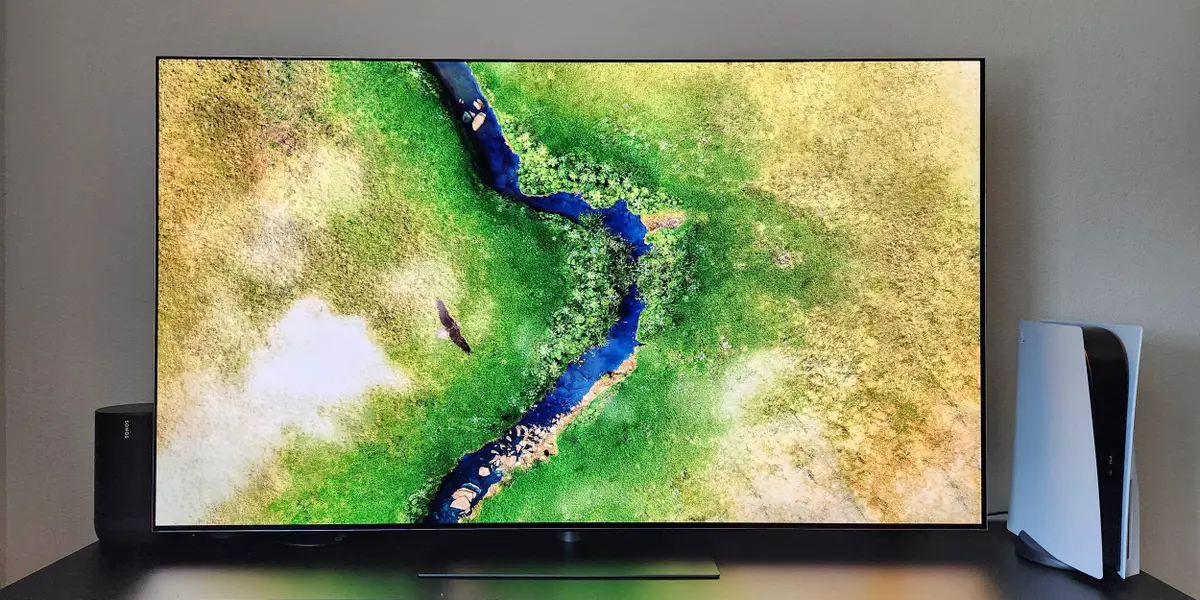
When the LG G5 OLED was released in spring 2025, it easily stood out as one of the best TVs of the year. And even now, in 2026, it still offers some of the best image quality you can buy. A few newer models have surpassed it in certain areas, but given recent discounts, you’d be hard-pressed to find a better high-end TV for the money.
Read more Wall Street banks’ newest investment focus: American economic security
Using LG’s four-stack OLED panel, the G5 balances perfect contrast with high brightness, sharp detail, rich colors, and wide viewing angles. This is the kind of premium image quality that makes home theater nerds like me geek out. The G5 also has solid smarts via LG’s webOS interface and some interesting perks like AI voice recognition.
However, the G5 is no longer the brightest OLED on the block. That honor now goes to the Samsung S95H. LG has also released an updated model, the G6, that offers improvements in processing and handling of reflections. But while both of those newer TVs are technically superior, they also cost quite a bit more than the G5 typically sells for. While it’s still readily in stock at a lower price than its 2026 rivals, the LG G5 remains my top high-end TV recommendation.

The G5 is LG’s flagship OLED TV from 2025. It’s still one of the brightest OLEDs available, delivering high-end image quality and an elegant design that can hang flush on your wall.
What we like
What we don’t like
The TV has an elegant design, but a stand costs extra
LG’s G5 is available in 55-, 65-, 77-, 83-, and 97-inch sizes. For this review, I tested a 65-inch unit. With the exception of the 97-inch model, all sizes offer the same specifications. The 97-inch model uses a different kind of OLED panel, so it can’t get as bright as its smaller counterparts.
The G5 uses LG’s One Wall design, which allows it to be mounted with virtually no gap. A bracket is included in the box, so you don’t need to buy one separately. On the downside, LG doesn’t include a traditional pedestal stand, so if you don’t want to mount the G5, you’ll need to purchase one separately. LG sells a stand for $100 (which was used for this review), and the G5 is compatible with many of the best TV stands from other manufacturers.
Though the G5 looks best when mounted, its elegant style still shines through when placed on its pedestal. The display is made of premium materials and has a thin profile measuring just under an inch. The build and aesthetics are what you’d expect from a flagship display and are a clear step up from the cheaper construction of more budget-friendly models.
LG also gets points for including four HDMI 2.1 ports that support up to 4K at 165Hz. Some rival brands, such as Sony, only include two HDMI 2.1 ports and use HDMI 2.0 for the remaining inputs. This is a great perk for gamers who want to connect multiple systems to the TV, as HDMI 2.1 is needed to unlock the smoothest performance on current-gen consoles and high-end PCs.
LG redesigned its Magic Remote, and this version is mostly an improvement. It has a thinner, more traditional shape instead of the bulky body used on past LG remotes, which makes it feel better in hand. Its main selection button, which doubles as a scroll wheel, also feels sturdier, making clicks more responsive. Sadly, the remote is not backlit, which has become standard on some competing TVs from TCL, Hisense, and Roku.
Like past models, the Magic Remote lets you choose between navigating with standard button presses and using motion controls (the “magic” part) to point the remote at the screen and move a virtual cursor. Unfortunately, there’s no way to fully deactivate motion control if you don’t like it. Clicking the directional pad temporarily turns it off, but it gets turned back on when you slide the scroll wheel, which is too easy to accidentally trigger.
The remote’s button layout has also been simplified, and I generally like this more minimalist approach. But there are two odd choices. First, there’s no longer an input select button. To switch inputs on the TV, you have to hold down the Home button to open the smart hub menu, or scroll through the homepage to find the input you want. Second, there’s no mute button. You can still activate mute by holding the remote’s volume down button, but this means there’s no way to quickly lower the volume without fully muting it. These are small complaints, but they just strike me as strange choices.
The G5’s premium image quality remains impressive
The G5 was the first consumer TV to use LG’s four-stack OLED panel design. This type of screen offers key benefits over the standard WOLED panel used on most of LG’s cheaper C- and B-series TVs. A four-stack design optimizes how an OLED produces color and light, allowing for higher brightness and a wider color gamut — all while maintaining the pixel-level contrast, deep black levels, and wide viewing angles that the best OLED TVs are known for. You can learn more in our QLED vs. OLED comparison.
The results are spectacular. In fact, the G5 is one of the brightest OLEDs I’ve reviewed, and is second only to the newer LG G6 and Samsung S95H. Using the TV’s Filmmaker mode with a 10% HDR test pattern (a white box that takes up 10% of the screen against a black background), I measured a peak brightness of 2,410 nits.
That’s nearly 1,000 nits more than the older G4, which is a substantial bump. While such high brightness is impressive, it’s important to remember that it’s only beneficial in certain circumstances. For example, high brightness gives you more headroom to boost luminance and help reduce glare in rooms with a lot of ambient light.
It also allows the G5 to produce more impactful and accurate high-dynamic-range (HDR) images with highlights (like explosions) that pop off the screen. But the G5’s full-brightness capabilities only get unleashed when watching movies and TV shows mastered at above 1,000 nits. You can learn more about HDR mastering and its relationship to content and TVs in our HDR guide.
Raw brightness is only a part of what makes the G5’s image quality so noteworthy. What makes this TV shine is its ability to precisely control its brightness and combine it with pixel-level contrast control, inky black levels, and rich colors. I watched a wide range of movies and TV shows across several weeks with the G5, and few consumer TVs can match its picture capabilities.
Fiery explosions in high-brightness HDR movies like “Mad Max: Fury Road” radiate from the screen with rich saturation, while deep shadows in the opening sequence of “The Matrix” remain perfectly dark without any halos around lighter elements of the picture.
Tricky sequences in movies like “1917” and shows like “Chilling Adventures of Sabrina” that trip up the local dimming backlights on many QLED TVs I’ve tested are displayed with perfect, uniform contrast. And image quality barely shifts if you’re off to the side of the screen, so everyone gets a good viewing experience no matter where they sit.
LG’s picture processing continues to improve year after year, and the G5 holds its own against high-end Sony TVs. Lower-quality content, like compressed HD YouTube streams and cable TV, is upscaled well on the G5. To be clear, they still don’t look as good as native 4K sources, but the TV does a good job of minimizing imperfections without introducing an unnatural look.
But as phenomenal as the G5 is, the TV’s image quality isn’t flawless. When it first hit stores, the G5 had issues with color banding, also called posterization or false contouring. This caused some color gradations and dark shades to appear blocky rather than smooth. Thankfully, LG released a series of firmware updates to address this, and the TV’s gradient performance is now within what’s expected for an OLED in this class.
Another small imperfection I encountered was slight over-brightening in near-black content, causing dark shades to faintly glow. I noticed this a bit when watching some dim sequences in the Amazon Prime series “The Wheel of Time,” but it was never too distracting. This issue is common on other OLED displays that use similar panels, so the G5 isn’t an outlier in this regard.
Finally, it’s worth noting that while the G5 surpasses competing flagship OLEDs in many ways, there is one area where top Samsung and Sony OLEDs have a slight edge: color volume. High-end OLEDs from those brands use quantum dots, a feature the G5 lacks. This allows those TVs to maintain high saturation a bit better when displaying especially bright colors. The G5 improves on the G4 in this area, but it still can’t quite match OLEDs with quantum dots.
Gamers get cool features like a 165Hz refresh rate and support for Xbox streaming
The G5 is an excellent gaming TV. It supports ALLM (auto low latency mode), VRR (variable refresh rate), and a dedicated Game Optimizer menu that lets you easily adjust settings. The G5 sets itself apart from many competing TVs by supporting up to a 165Hz refresh rate. Several high-end TVs max out at 144Hz. This is only useful for PC gamers with high-end hardware, but it’s still a cool perk.
LG also supports the Xbox app directly through the TV’s interface. If you have a Game Pass membership, this app lets you stream Xbox games so you can play them without needing a console. The quality isn’t as good as playing a game directly through a system, and playability is heavily reliant on the stability of your internet connection, but it works well enough for casual gaming.
I also tested the G5 with a PS5 using a 4K/120Hz connection, and it delivered excellent image quality and smooth motion. I didn’t see any flicker or ghosting with VRR active, which is something I’ve seen on some QLED TVs. Some flicker did show up when I pulled up the TV’s settings menu while playing games, but this went away as soon as I closed the window.
LG’s webOS now has AI features, but they’re mostly unnecessary
Like all LG TVs, the G5 uses the webOS smart TV system. The platform is easy to set up, as LG guides you through some basic housekeeping items.
The interface has access to all the best streaming services, though it’s missing a few niche apps that other platforms support, such as the Criterion Channel. General navigation is smooth, and I didn’t encounter any major lag when moving through services. That said, the interface’s design could annoy some users. By default, webOS displays a banner ad at the top of the homepage, and the screen prominently features a row for shopping recommendations.
You can deactivate the banner ad by navigating through some buried menu options, but this leaves that space unused. You can also turn off the shopping recommendations, but this deactivates all the platform’s content suggestions, resulting in a bare-bones interface. It’s great that LG offers the option to fully deactivate the ads, but I wish there were a better balance to begin with, so it could display content recommendations while demphasizing some of the sponsored material.
When the G5 launched, LG touted a lot of new AI features, but most of these functions are just improved iterations of features that have already been available on past-generation TVs. For instance, there are AI picture modes meant to enhance images, especially with lower-quality content, but the adjustments they make are often unnecessary.
The company has also brought back its AI Picture Wizard and added a new AI Audio Wizard. These features present you with various sample images and audio clips. Based on which ones you select, the wizard learns what kind of picture and sound settings you like the most, and then creates custom modes for you. Again, I highly recommend using the TV’s Filmmaker mode and Standard audio mode for the most accurate playback, but if you’re unhappy with how the G5 looks or sounds, this is worth playing around with.
LG’s remote also emphasizes AI, with the microphone button rebranded as the AI button. Pressing it pulls up LG’s AI concierge. This is supposed to present smart content recommendations based on your viewing habits, but I didn’t find them particularly useful. Holding down the AI button lets you search with your voice or issue commands to control the TV. The G5 also supports hands-free voice search.
I’m not sure what the issue was, but during my first week or so with the TV, I ran into a lot of server errors and “voice not recognized” messages when using the G5’s voice search. Over time, these glitches stopped popping up, and voice search worked consistently. That said, I found the TV’s voice recognition to be less accurate and slower than some competing systems, like Roku and Google TV.
On the plus side, the G5 does have an extra voice feature that’s actually pretty cool. It’s called AI voice recognition, and it automatically switches user profiles based on who speaks to the TV. So, if your spouse was using the set and you both have different profiles, once you speak to the TV, it will switch to your personalized home screen with your preferences and recommendations.
How does the G5 compare to 2026 LG OLEDs?
LG has released a 2026 successor to the G5, called the G6. I got a side-by-side look at the new model before it launched in the spring, and it does offer a few improvements over the G5.
Most notably, the G6 has upgraded processing to enable smoother color gradients and an improved screen filter to reduce reflections. The TV is still glossy, so reflections remain more apparent than on a matte-style OLED like the Samsung S95H, but they are indeed more subdued than on the G5. The G6 can also get a bit brighter than the G5, but I need more hands-on time with the new model to conduct full measurements.
But while the G6 is definitely a superior TV, it currently costs around $1,000 more than the G5. Big enthusiasts who want LG’s absolute best performance may want to splurge on the newer model, but most people are better off snagging the cheaper G5 while it’s still available.
In addition to the G6, LG also has another 2026 OLED that G5 shoppers may want to consider. This model is called the C6H, and it’s a submodel in the brand’s midrange C-Series. The C6H is only available in 77- and 83-inch sizes, but unlike smaller C-Series TVs, it uses a four-stack tandem OLED panel. This is the same kind of advanced display used in the G5 and G6, and it helps the C6H come closer to matching those TVs’ brightness. The C6H also benefits from LG’s latest processing.
The C6H’s pricing fluctuates, but it’s sometimes on sale for less than the G5. If you’re specifically shopping for a 77- or 83-inch OLED, the C6H is a worthy alternative to the G5 when it’s discounted. But be aware that the C6H does not have the G5’s One Wall design, so it can’t be mounted flush against a wall. You can learn more in my full LG C6H OLED TV review.
Should you buy the LG G5 TV?
Few TVs have left me as utterly impressed as the LG G5. Some newer high-end sets offer better performance in certain respects, but the G5 is still one of the best TVs for picture quality and one of the best LG TVs available.
Those willing to spend more can get an even brighter image and better reflection handling from newer flagship OLEDs, like the LG G6 and Samsung S95H. But given the current cost difference between those 2026 TVs and the G5, I give an edge in overall value to this older model.
However, the remaining stock of the G5 is limited, so if you’re considering this TV, I suggest grabbing it while it’s still readily available at a discount.
About the Author