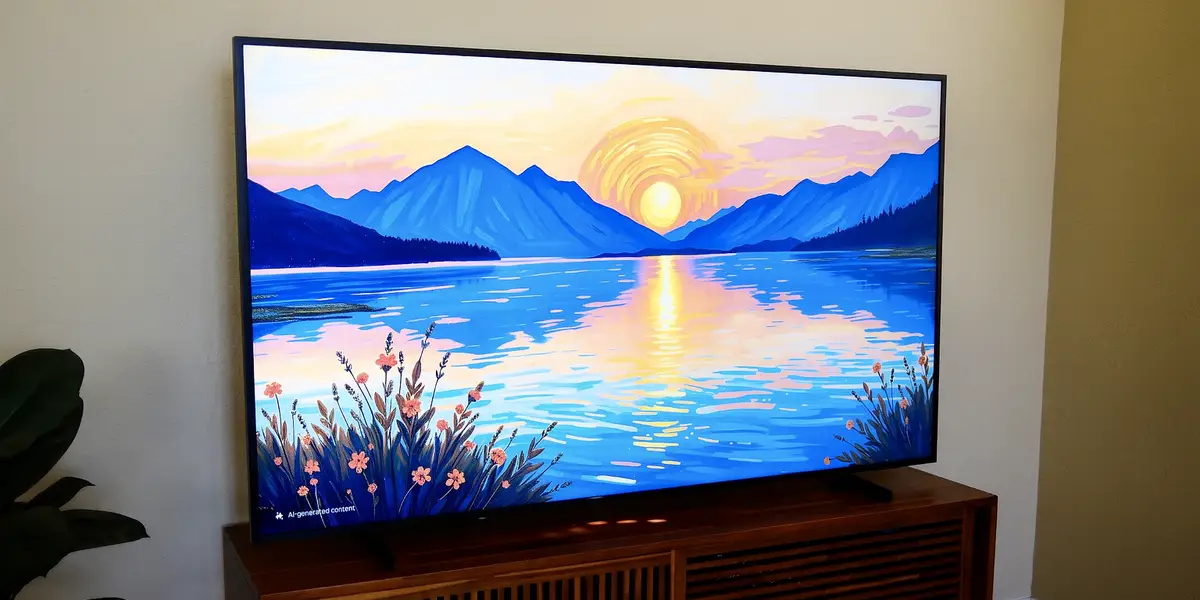
Samsung’s Frame TVs are a go-to for anyone who wants a screen that can double as stylish home decor. They’re designed to look like artwork when not in use, with a flush wall mount and a matte panel that resembles canvas. The effect is great, but the trade-off has always been clear: while the Frame nails its “painting on a wall” look, its overall image quality has lagged behind the best TVs you can buy.
Read more YouTube star Cliff Tan apologizes to angry fans after promoting AI for interior design
That’s why I was excited to learn about Samsung’s Frame Pro model. It keeps all the signature Frame design touches but promises better picture performance, thanks to upgrades to contrast and brightness. There’s also a new wireless connection box that makes placement easier in certain rooms.
I’ve tested the best art-frame TVs from various brands, and I bought a standard Frame for my home. I chose it despite its image quality limitations because I really wanted a matte display that could reduce reflections. My LG OLED’s glossy screen looked fantastic at night, but the glare made it basically unusable for long stretches of the day. The Frame’s anti-glare panel solved that problem, and its Art Mode is undeniably cool. But I’ve always found the Frame’s picture underwhelming when actually watching TV.
After testing the Frame Pro for a few weeks in the exact same spot as my standard Frame, I can confidently say it delivers better picture quality, especially in rooms that receive a lot of light. But while the display’s improved brightness is a cool perk, the Frame Pro’s contrast is still a bit lacking. If you’re thinking about upgrading to the Frame Pro, here are the most important things to know about its performance, design, and features.

The Frame Pro is a gallery-style TV with a thin wall mount, matte screen, and interchangeable bezels, making it look like a piece of art on your wall. The Pro model is brighter than the standard one, but it still can’t match the image quality of Samsung’s best QLED TVs. This 2025 model is available in 65-, 75-, and 85-inch sizes.
What we like
What we don’t like
The Frame Pro has a noticeably brighter, higher contrast screen
When it comes to general design and specs, the Frame Pro is a lot like the standard Frame. Like the regular model, it features a 4K resolution (3,840 x 2,160) screen, a 120Hz refresh rate (up to 144Hz with a PC), a slim wall mount, and support for interchangeable bezels. It also features the same motion-activated Art Mode, which displays various paintings and images.
But under the hood, the Frame Pro’s panel uses more advanced dimming technology, resulting in a brighter, higher-contrast picture. In short, the Frame Pro simply looks better than the regular Frame TV.
I watched several movies and TV shows on both models, and the Frame Pro’s improvements were noticeable. This upgrade is made possible by changes to the Frame Pro’s backlight, which is what illuminates the screen so you can see its images.
Unlike standard Frame TVs, the Frame Pro uses a Mini LED backlight with local dimming. This allows the panel to darken and brighten specific areas of the screen, improving black levels and light control. On TVs without local dimming, such as standard Frame models, dark scenes appear more washed out and are prone to frequent patches of uneven brightness.
The Frame Pro’s Mini LED backlight also makes its screen much brighter than past models. On a 10% test pattern, the Frame Pro reached nearly 1,000 nits in its Filmmaker HDR picture mode. That’s close to what Samsung’s upper-midrange QN80H QLED can hit, and about double the brightness of a standard Frame TV. This gives HDR images a more pop and helps overcome ambient light.
Thanks to this upgraded tech, the Frame Pro is even easier to see than my standard model when watching TV in a bright room. I’ve also tried other art-style TVs from Hisense, TCL, and Amazon, but the Frame Pro is by far the best for daytime use. This is the model I’d buy for a sunny room.
Black levels still can’t match those of Samsung’s high-end TVs
While the Frame Pro’s backlight is a lot better than the standard Frame TV’s, it still has some clear issues when viewed in a dark room. Unlike Samsung’s home theater-focused Neo QLED and Micro RGB TVs, which use direct-lit local dimming, the Frame Pro uses edge-lit dimming.
This method isn’t as effective at controlling contrast and black levels. Though some dark sequences are displayed with much deeper black levels than I’ve seen on the regular Frame, some still suffer from noticeable patches of light that give them an uneven look. So, depending on the image being displayed, you’ll still see some blotchy lighting when watching TV at night.
Again, the Frame Pro is definitely better than the standard Frame, but its contrast and black level performance still fall short of what you’d get from a direct-lit Mini LED, RGB LED, or OLED TV. For instance, my LG OLED performs significantly better in a dark room.
The Wireless One Connect box is one step forward, one step back
Standard Frame TVs are available with built-in ports or a wired One Connect Box that’s tethered to the display through a thin, semi-transparent cable. This box houses all the TV’s ports, which helps keep your wall free of wires from external devices like a cable box or gaming console.
The Frame Pro utilizes a similar design, except that the box now connects to the TV wirelessly. This means more flexibility in where you house your streaming device, video game system, Blu-ray player, and other components. It’s a major win for people who place their TV above a fireplace mantel.
However, there are some drawbacks. Most notably, you now need two power outlets instead of just one. There needs to be power for both the TV and the Wireless One Connect Box. Previously, the box and TV were powered by the same wire.
Thankfully, the wireless transmission itself works well, and I didn’t encounter any picture or audio lag during testing. That said, there was at least one time when the TV said it couldn’t connect to the box, even though it was a foot away.
Read more The dream of serving ads to AI agents has hit a snag
Making the Frame Pro truly look like art costs extra money
The Frame Pro supports a rotating selection of free artwork, but access to Samsung’s full art library costs $5 a month. There are a couple of free alternative apps, but they’re more akin to screensavers than services that really simulate the look of a painting on your wall. You can also upload your own photos, but you’ll likely need to spend some time editing their aspect ratio to ensure they fit seamlessly.
Similarly, you’ll have to pay extra for art frames with different-style bezels. The Frame Pro only comes with a standard black border around the TV. Samsung sells other styles that can be magnetically attached, including Modern Brown, Modern White, and Sand Gold frames. However, be aware that the Frame Pro utilizes different Samsung bezels than the regular Frame TV, so they cannot be interchanged.
If you want fancy, elaborate options, brands like Deco TV Frames also sell bezels that fit the Frame Pro. However, I found out the hard way that these larger bezels won’t fit all the way around when it’s attached to its stand.
I ran into some minor software bugs
I tested the Frame Pro over a couple of weeks and experienced some flakiness with the TV’s software. The Frame Pro was occasionally slow to wake up and switch inputs, and sometimes lagged within its own menu system. I was able to resolve this issue by unplugging the TV and power-cycling it each time the problem occurred.
From what I can tell on online forums, some others have encountered the same issues. However, this doesn’t seem to be a universal problem, so it’s hard to tell how widespread it is. My other Frame TVs haven’t experienced this issue. This may have been ironed out through firmware updates, but there’s no guarantee. As it stands, I don’t consider the sluggishness to be a dealbreaker, but it’s definitely something to keep in mind.
There are AI features, but they’re mostly a bust
Like most of Samsung’s latest TVs, the Frame Pro features several AI-powered enhancements, including a live translation function that can generate subtitles in multiple languages. While that might seem like a cool addition, in practice, this AI stuff doesn’t really pan out in a meaningful way. For example, live translation only works with broadcast TV transmissions over an antenna, so people using streaming apps or cable boxes can’t take advantage of it.
You can also generate AI art, but the interface is too limited to create anything you’d want to look at for long. To keep things simple enough to use with a remote control, there are only a few prompts to select from before an image is created. An “AI-generated content” watermark is also displayed in the bottom corner. And remember, you can only create up to 10 AI images per day if you choose to use this feature.
There are also AI-enhanced picture and sound modes, but their adjustments are subtle and not immediately noticeable in day-to-day use. The sound tweaks are also relegated to the TV’s built-in speakers, so if you use a soundbar, you won’t get any benefit.
What’s the difference between the 2025 and 2026 Frame Pro TV?
In 2026, Samsung released a slightly refreshed version of the Frame Pro. The 2026 Frame Pro offers nearly identical performance, save for a few minor adjustments.
The anti-glare screen has been tweaked for improved quality, but this change was subtle in person. The TV also now supports a 240Hz refresh rate for gaming, but only if you downgrade the screen resolution to 1080p. In 4K, the TV still maxes out at 144Hz.
Ultimately, the most notable distinction between the 2025 and 2026 offerings is that the 2025 model is only available in 65-, 75-, and 85-inch sizes, while the 2026 model adds a 55-inch screen size for the first time.
Unless you’re specifically shopping for a 55-inch TV, the 2025 Frame Pro remains the better value, as it’s often on sale at a lower price. That said, inventory for the 2025 model is limited, and pricing will likely even out as the new model receives discounts later in the year.
Should you buy the Samsung Frame Pro TV?
Like the standard Frame, the Frame Pro is priced at a premium compared to similarly spec’d TVs. Though the Frame Pro has notably better image performance than the regular model, you’re still mostly paying for design perks rather than picture quality. In most respects, there’s nothing wrong with that. After all, this is still a design-focused TV built for people who favor aesthetics.
But I can’t help but feel like the Frame Pro is a slightly missed opportunity. Yes, it looks better than the standard Frame, but there are still notable compromises here that prevent the Frame Pro from serving as an Art TV that can double as a home theater display. It’s a step in the right direction, but it’s not there yet.
Ultimately, the Frame Pro’s biggest selling point might be its Wireless One Connect box, which is a cool perk for certain room layouts. Its brighter picture is also a plus for people who watch TV in rooms with a lot of light.
However, the Frame Pro is no more convincing at simulating the look of a painting than the standard Frame TV, which costs less. So, unless you really need the Pro’s wireless box and brighter picture, most people are still better off saving money by going with the less expensive Frame TV.
Read more OpenAI finds a crack in Anthropic’s business AI lead
About the Author